Art Direction in Midjourney
A visual redesign for an MSN feature in which we utilized generative AI imaging to drive the art direction.
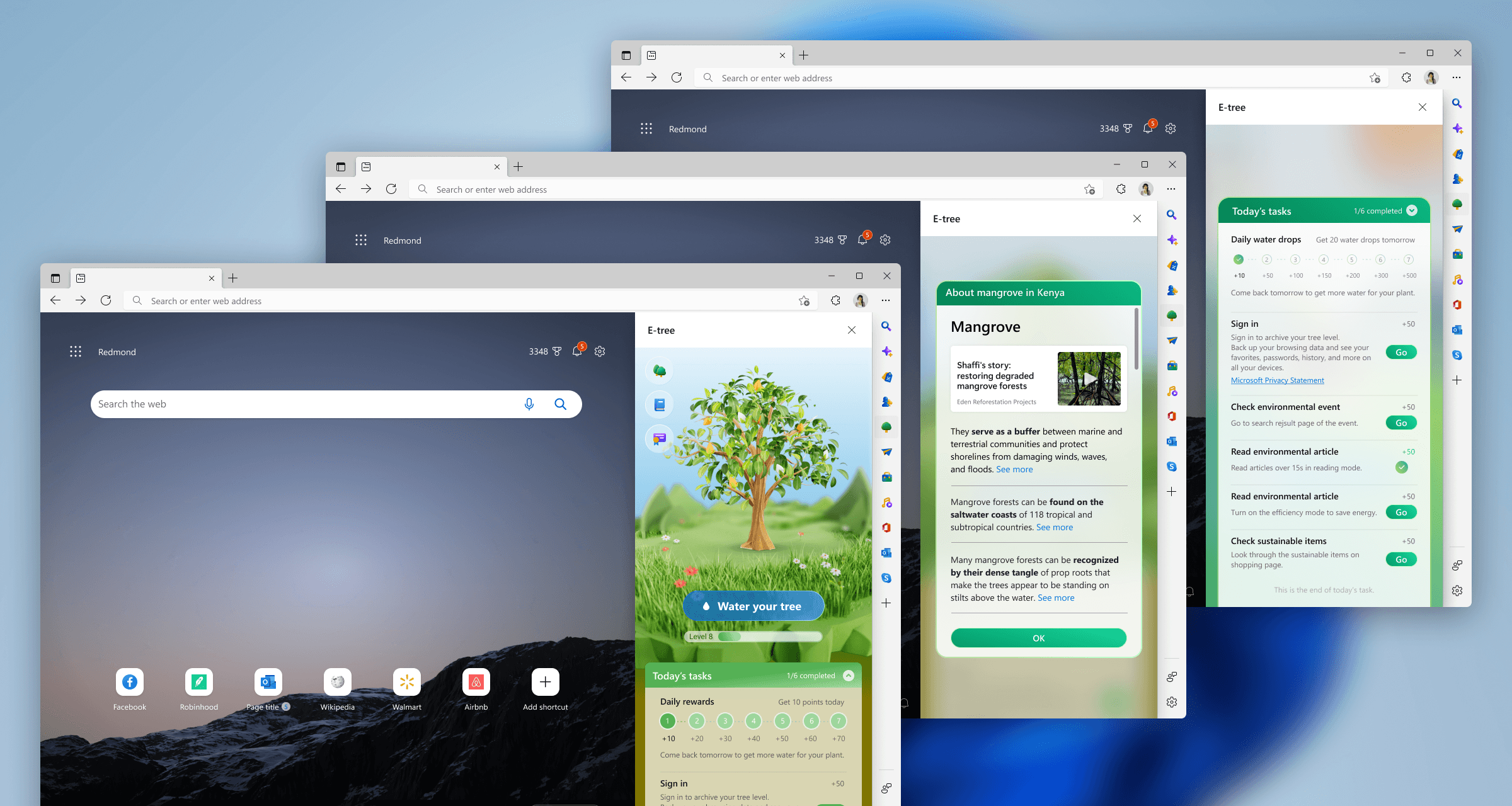
The visual system team within the WebXT studio at Microsoft was approached by product designers on MSN to reassess the visual design of their E-Tree feature.
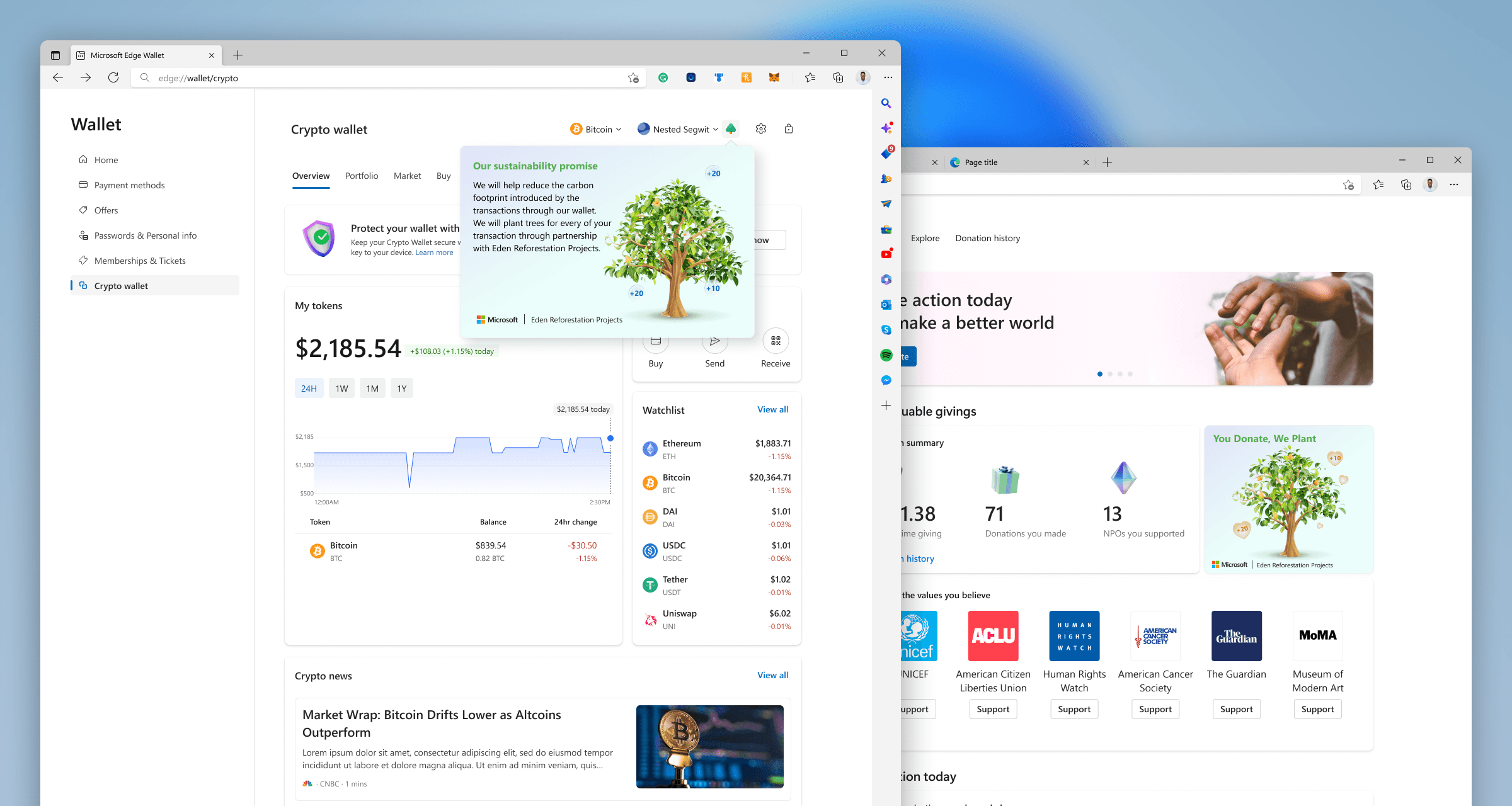
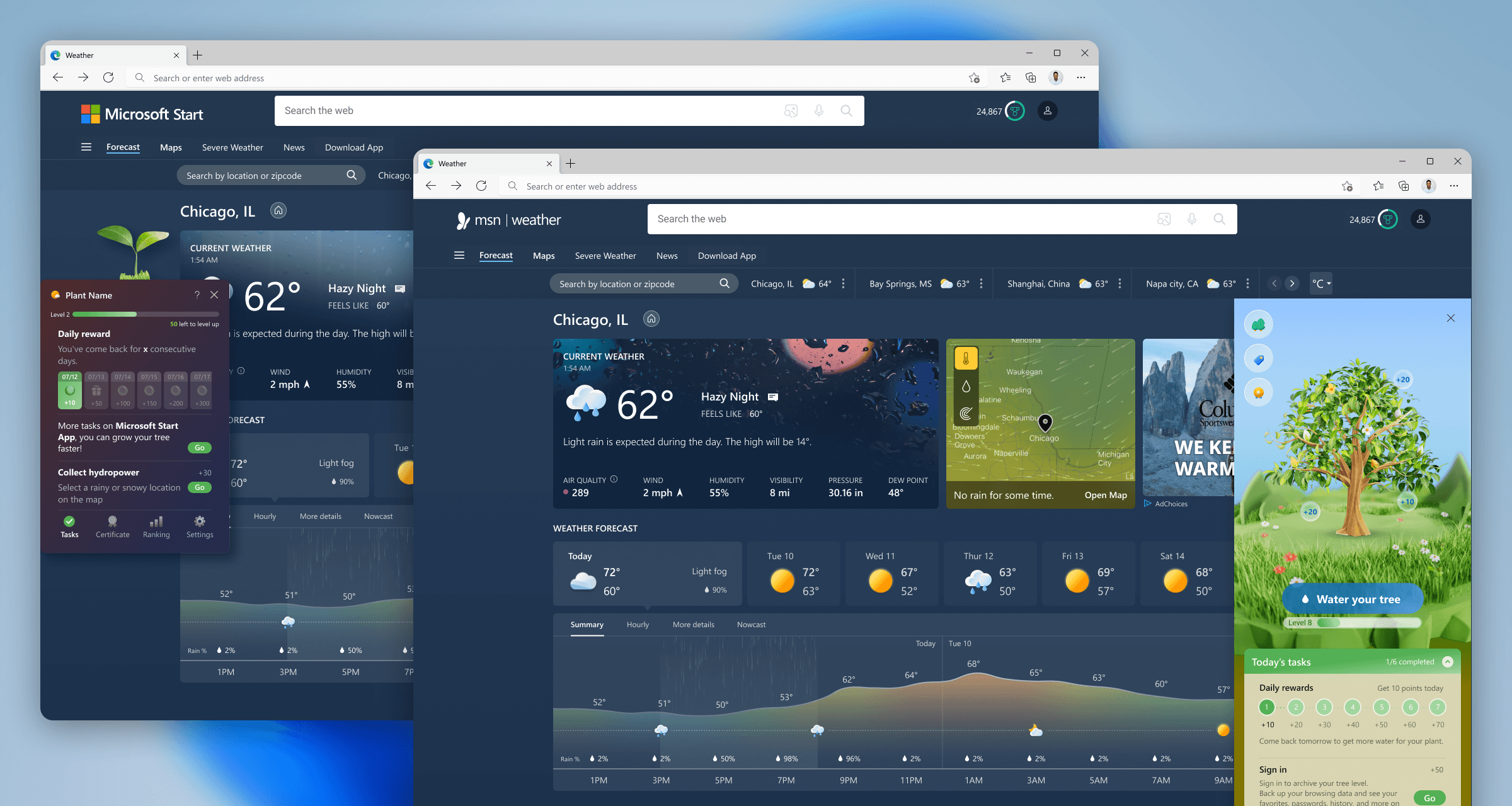
The E-Tree feature was a program within MSN Weather where users could earn points by completing daily tasks within MSN. These points then contributed to growing a virtual tree. Once a user's virtual tree reached level 10, Microsoft would partner with the non-profit Eden Reforestation Projects to plant a real tree on the user's behalf, which focused on restoring degraded mangrove forests in Kenya. This was a gamified rewards experience that also contributed to Microsoft's values around sustainability and environmental causes.
Sprint Plan
3 team members
Design lead: Hyejung Bae
Design: Bobby Bernethy
Design: Sophia Choi
5 week schedule
Research & exploration (1.5 weeks)
User research & validation (1 week)
Refine & finalize (1.5 weeks)
Share & handoff (1 week)
Two phases
Phase one: Tree visual design
Phase two: Background/stage visual
Objective
Move away from Microsoft emojis
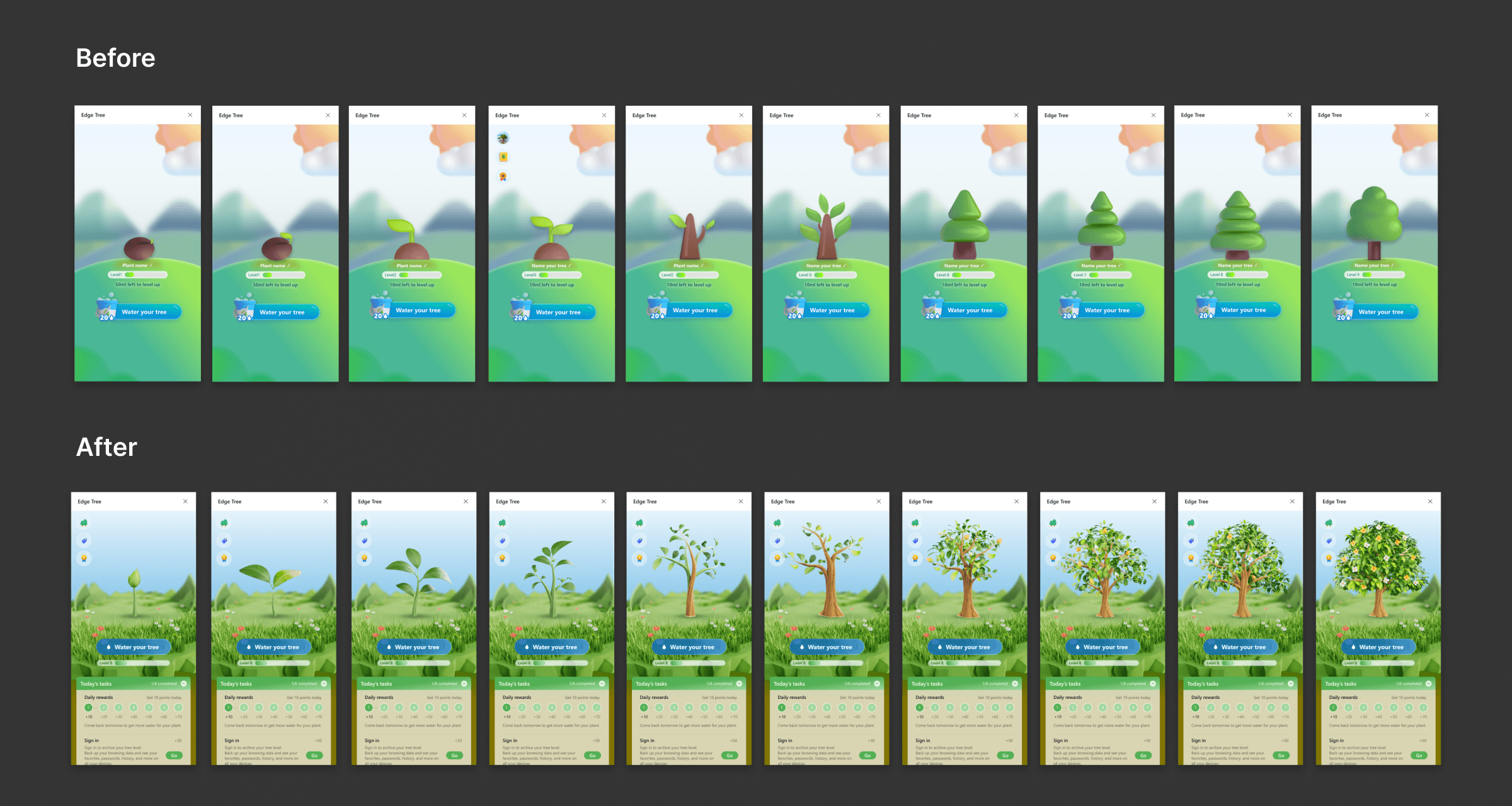
The previous design for the E-Tree feature had been done quickly to keep the engineering team unblocked. MSN designers used any existing assets they had access to in order to create the visuals for the feature, and ended up using Microsoft's emoji assets for the main design elements of the experience.
This was a violation of Microsoft's visual design standards, as emojis are never to be used as UI elements or illustrations.
Align to the established Maximal illustration language
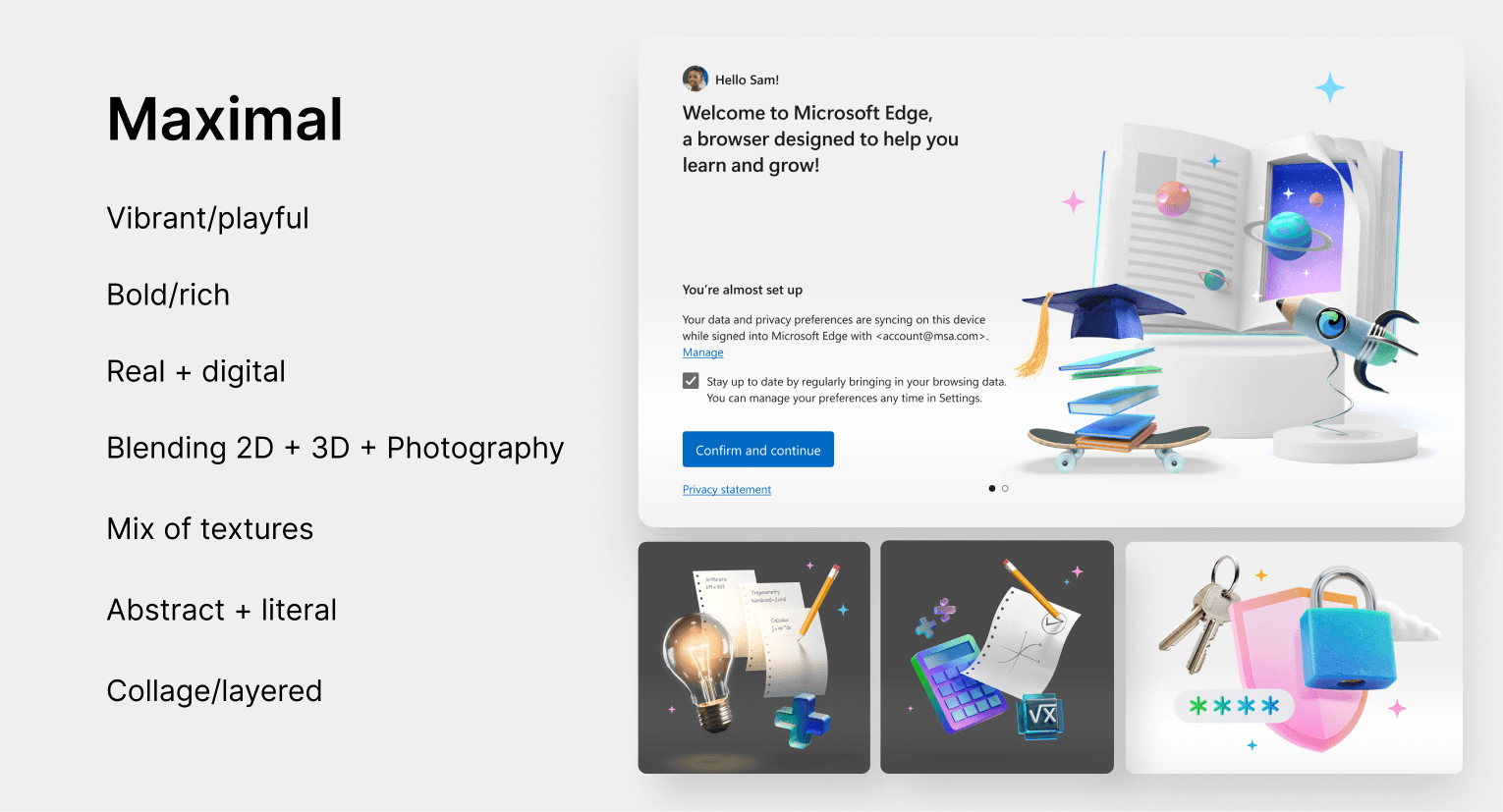
The studio's established language for illustration was called Maximal, which was intended to add expression and delight to our web experiences. It was defined by the following characteristics:
Integrate generative AI tools into the visual design process
Our team took this project as an opportunity to utilize a tool like Midjourney to drive our art direction. This project was a perfect candidate to identify the strengths and weaknesses of the technology and how it could help our studio going forward.
Moodboarding/Auditing
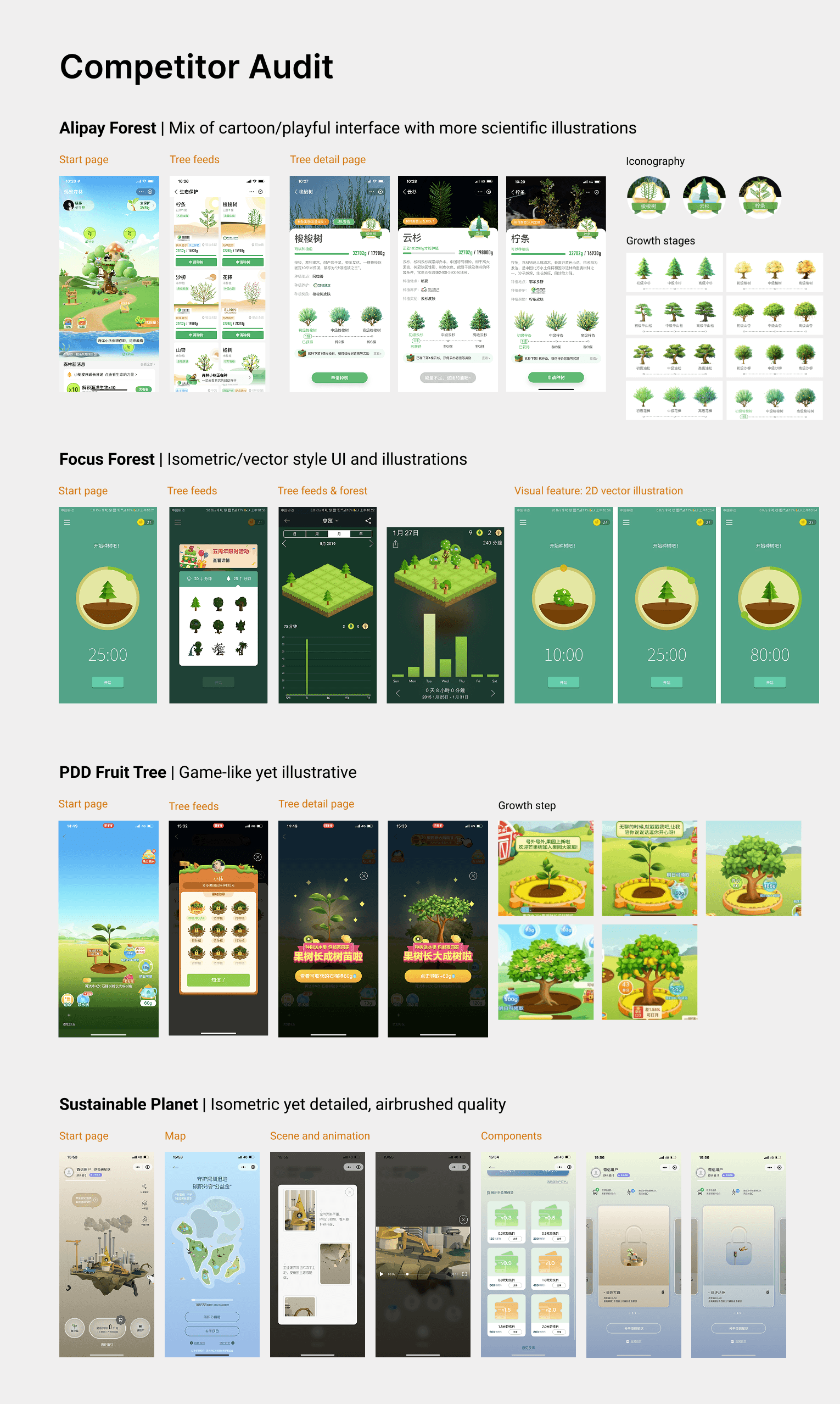
We started with an audit of competitor apps for MSN's E-Tree feature to start to identify common visual themes across similar features and establish a spectrum of cartoon-like to realistic.
Phase One: Tree Design Exploration
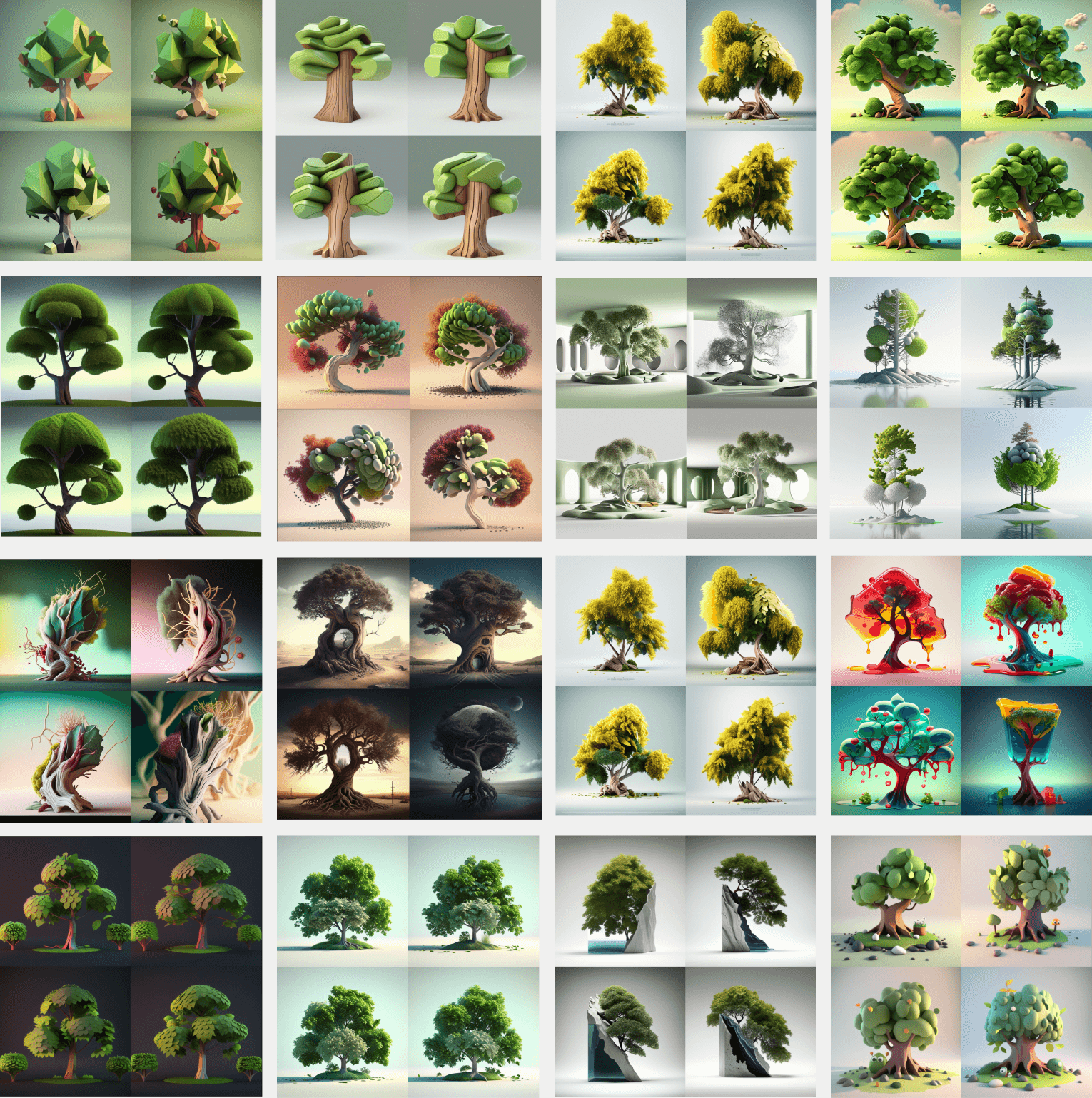
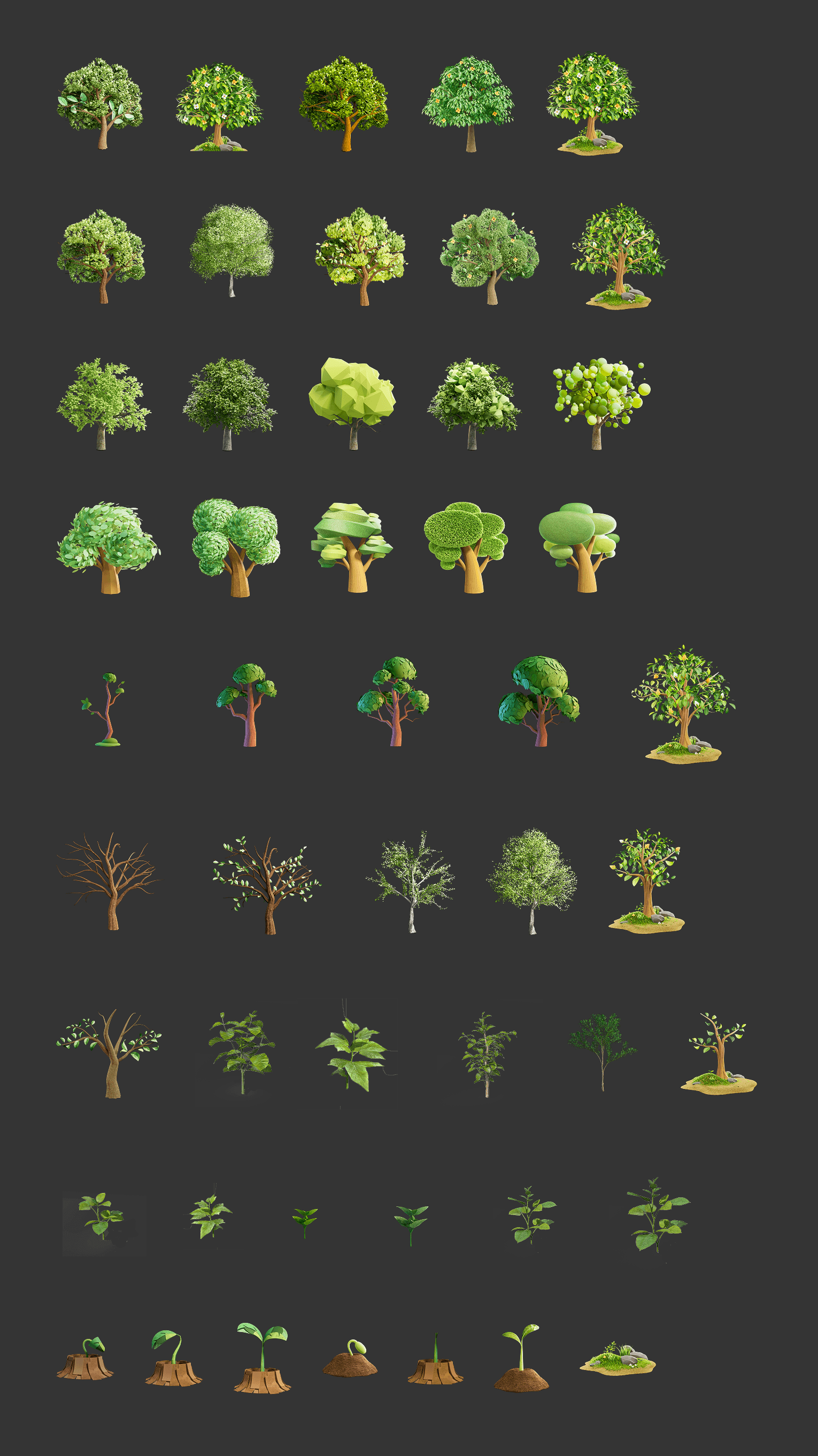
The three designers on the project dove in on tinkering with prompts and style references to create an abundance of visual explorations. Here is a small sampling of the breadth of generations we created over the course of about a week.
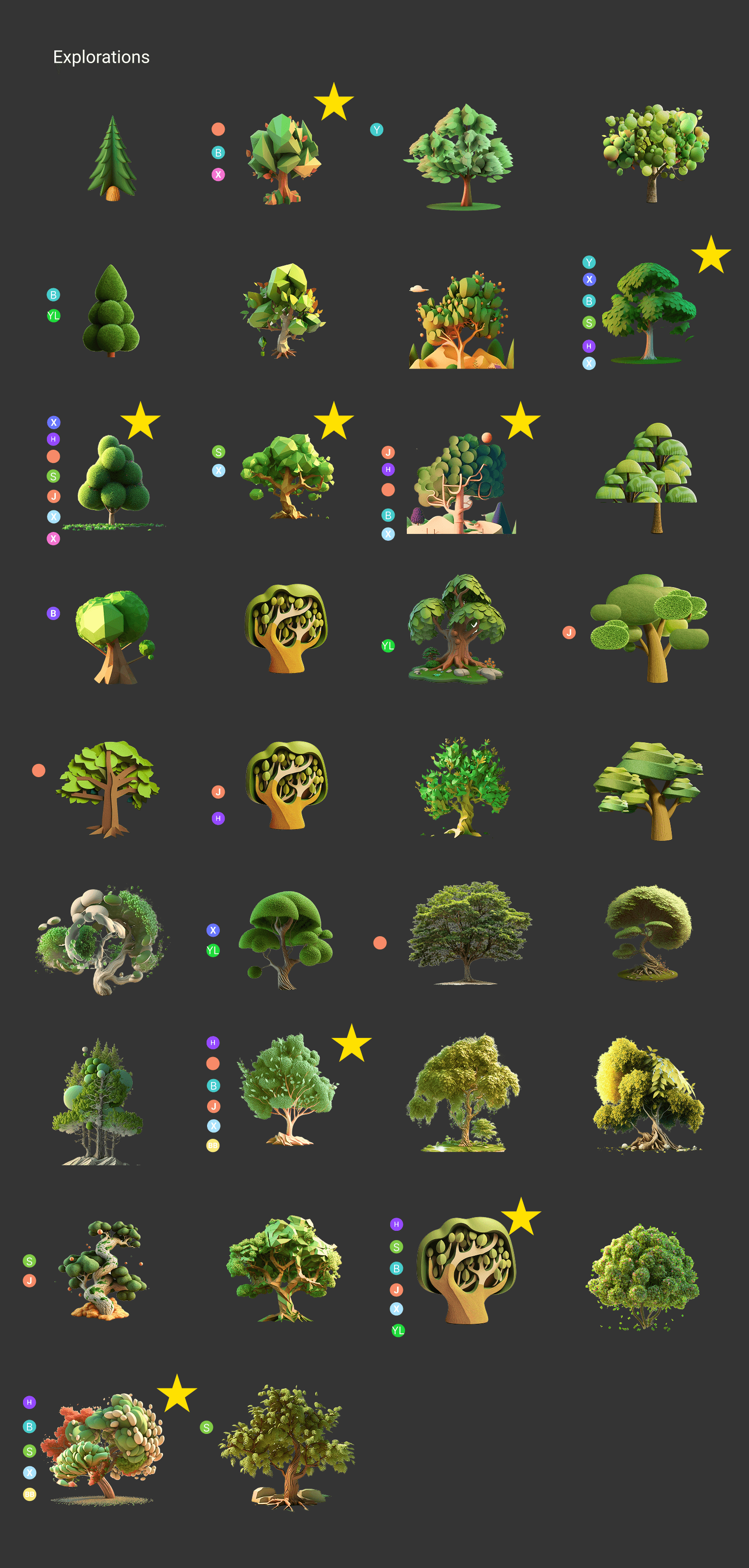
We then looped in the wider MSN design team to begin narrowing down the visual explorations to prepare for user testing. We had each team member cast votes on the generations they felt best achieved the fundamental principles of the Maximal visual language:
Bold/rich
Vibrant/playful
Layered/textured
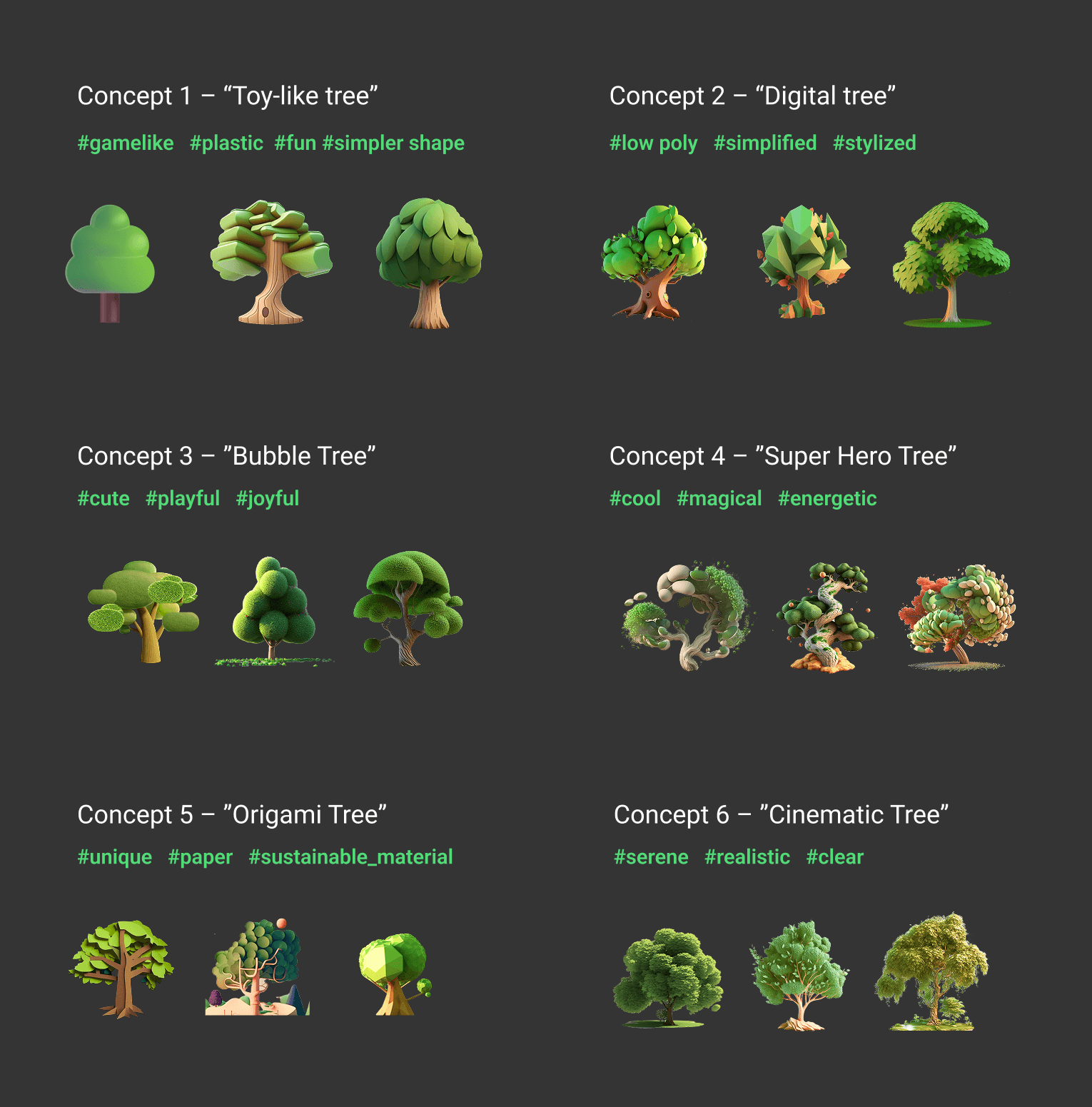
We then refined the options down to 6 main concepts that covered a spectrum from cartoon-like and playful to realistic and literal. With this range of potential directions we were ready to run a user research study.
Phase One: User Testing
The team used an internal tool for user research studies to run side-by-side tests across a global pool of thousands of judges, assessing the judge's preference on the visual direction of the tree.
UXLabs Test One
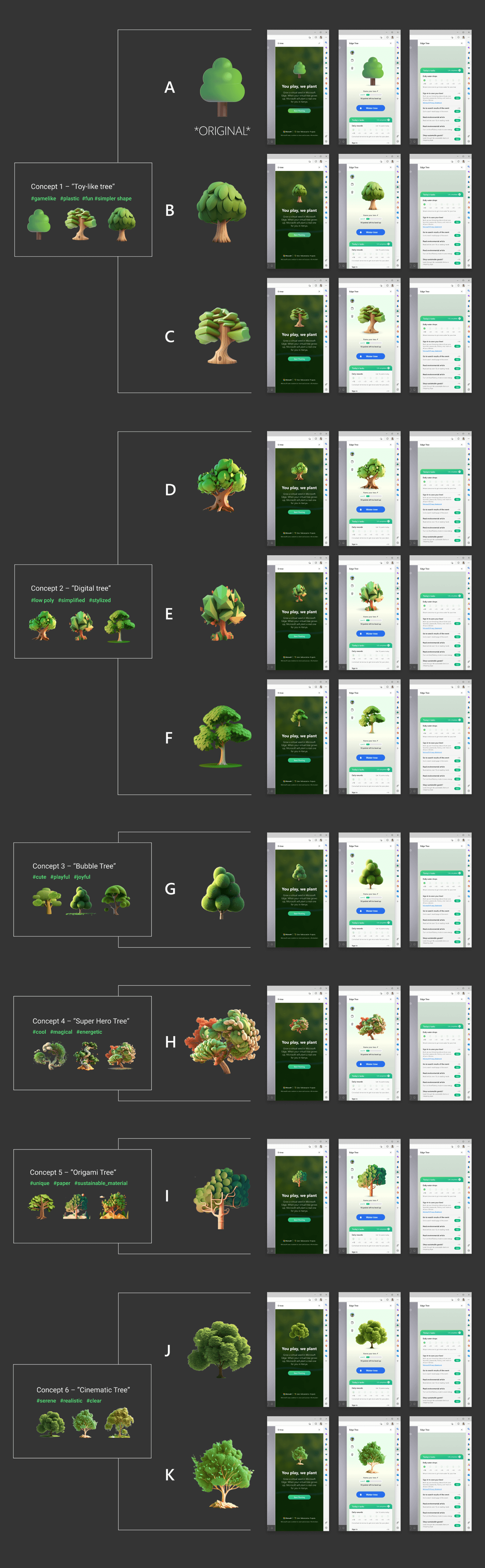
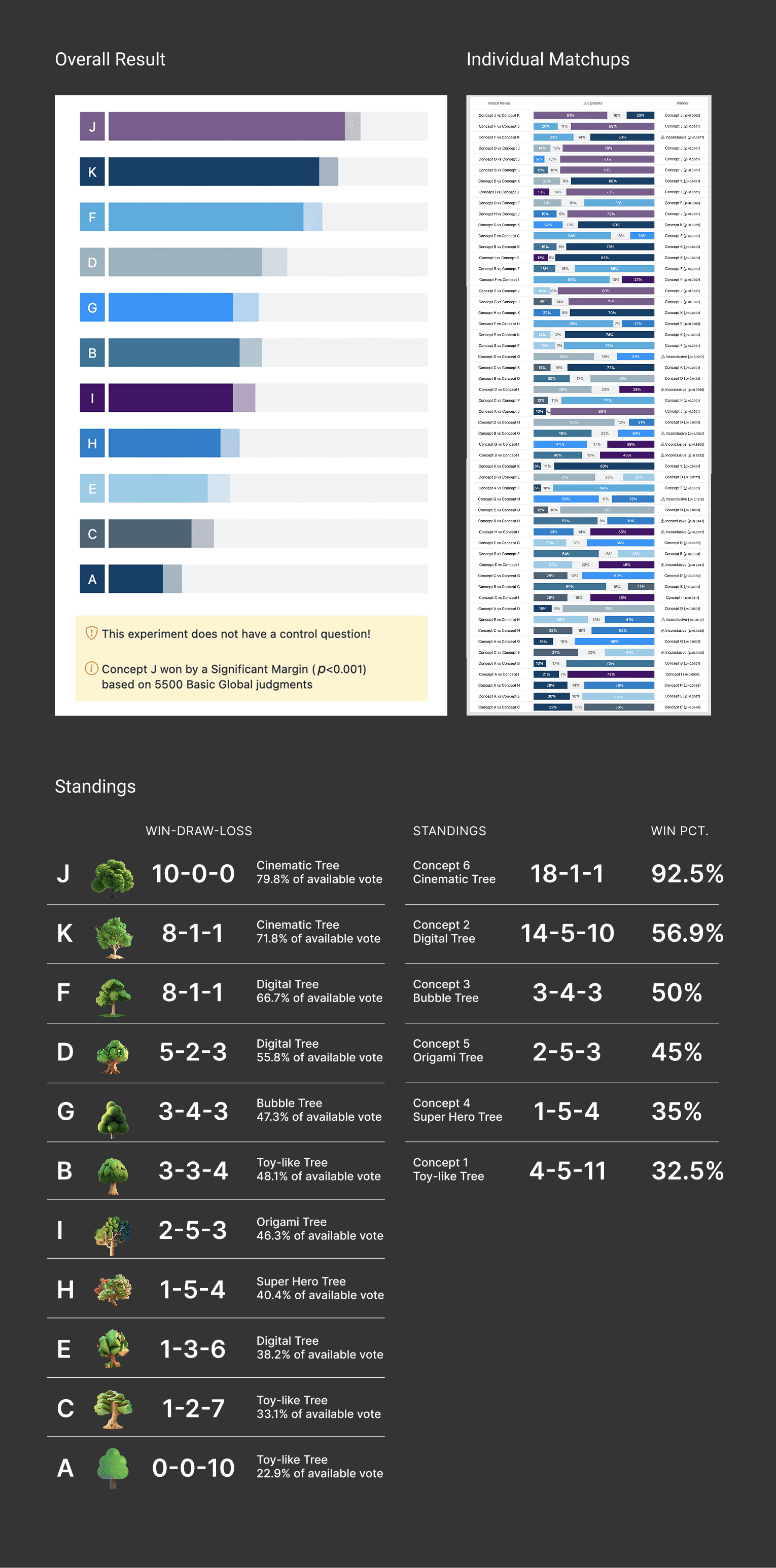
Through this data we gathered the following insights:
Judges responded most negatively to the existing emoji tree design (validation that a visual refresh was necessary)
Judges seemed to prefer more realistic-looking tree shapes and textures over the more stylized and artificially-textured trees
UXLabs Test Two
With the insights from the first test, we ran a second test on a separate pool of judges to further narrow down the directions, slightly altering the background to a more realistic image, and testing 4 variations between the concepts that performed best in Test One.
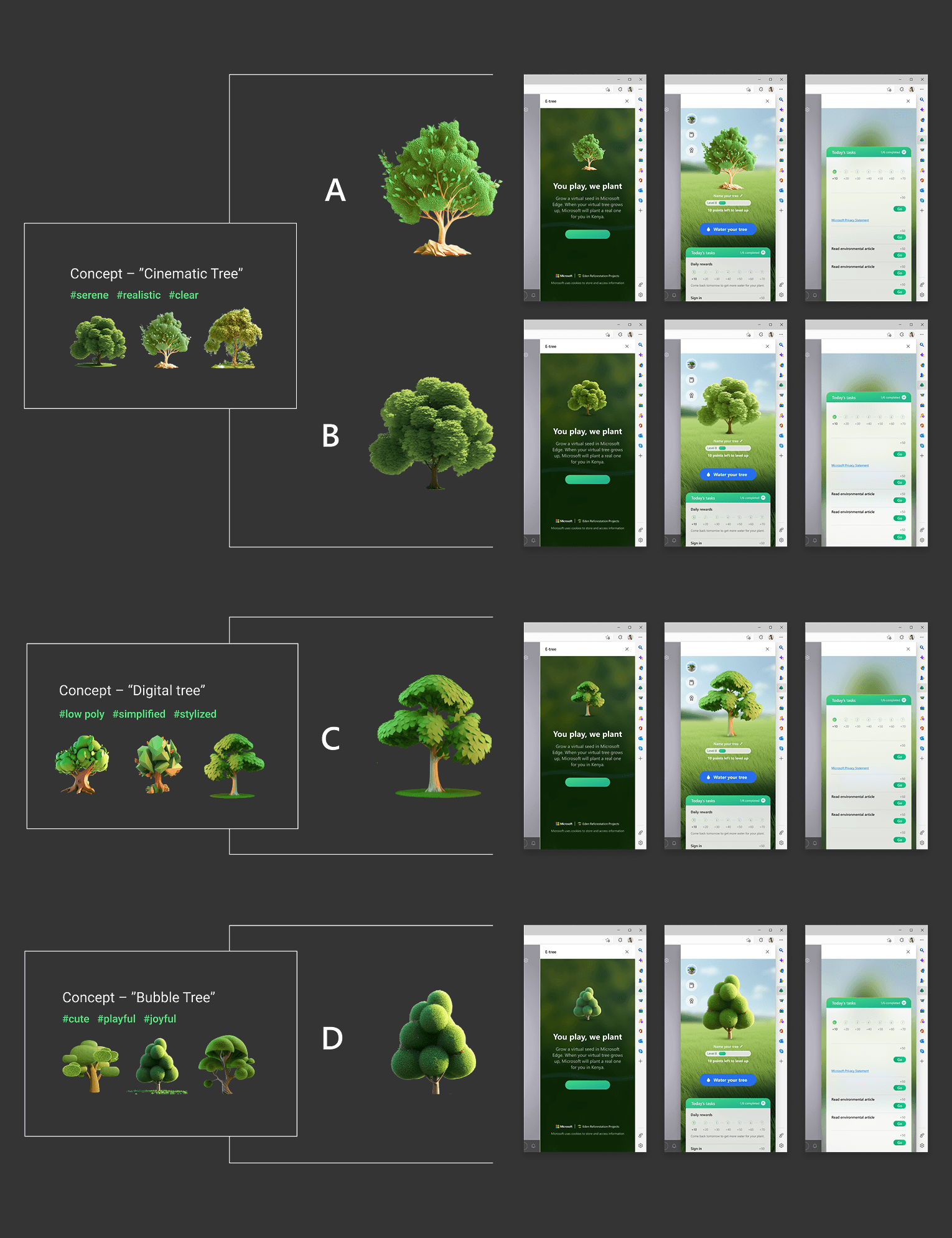
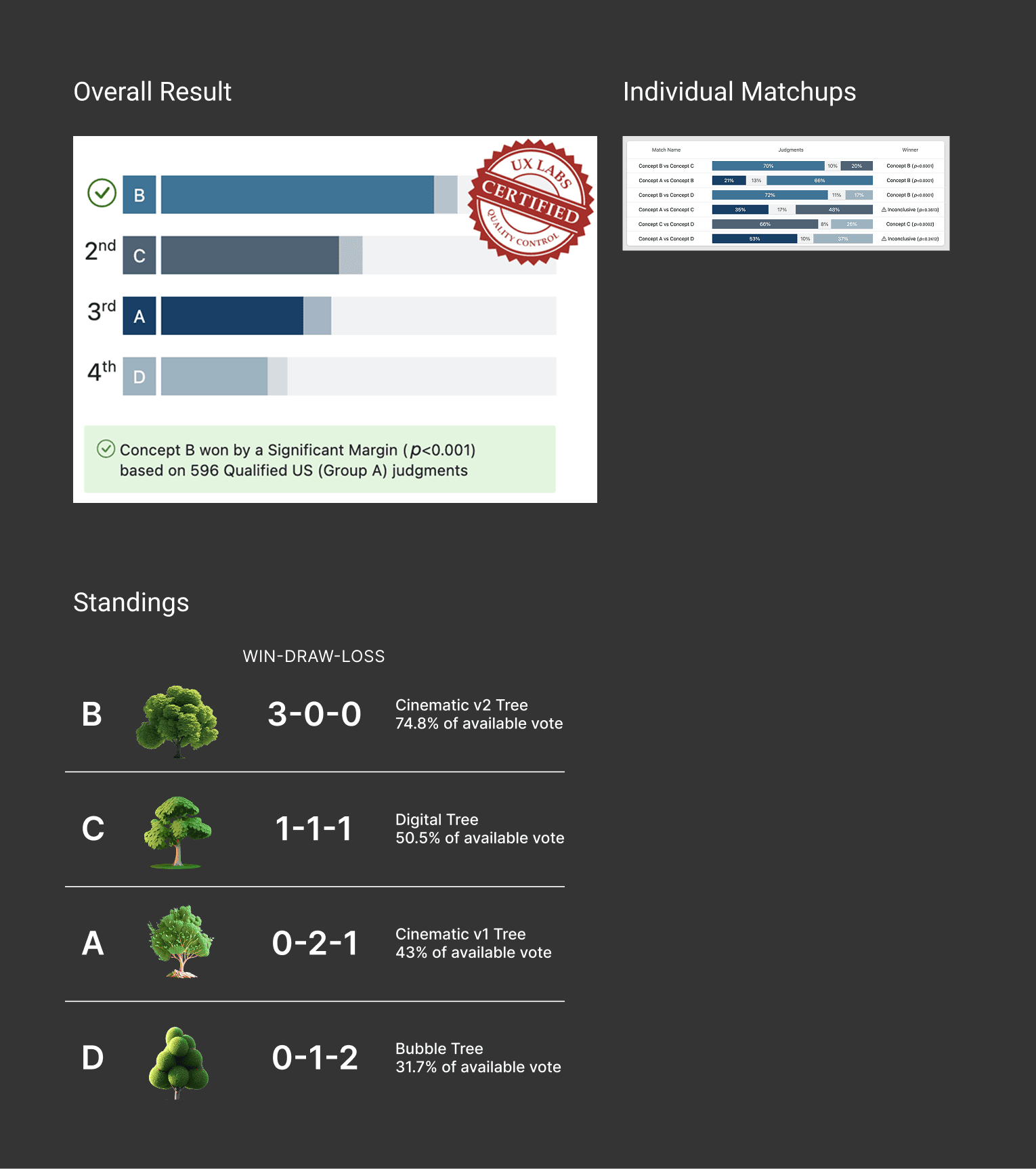
Through this test we gathered the following insights:
Judges reaffirmed their preference for the more realistic renderings of the tree (statistically significant result for Concept B, the most realistic rendering)
Judges generally did not prefer the more stylized/textured treatment
Phase One: Refinement
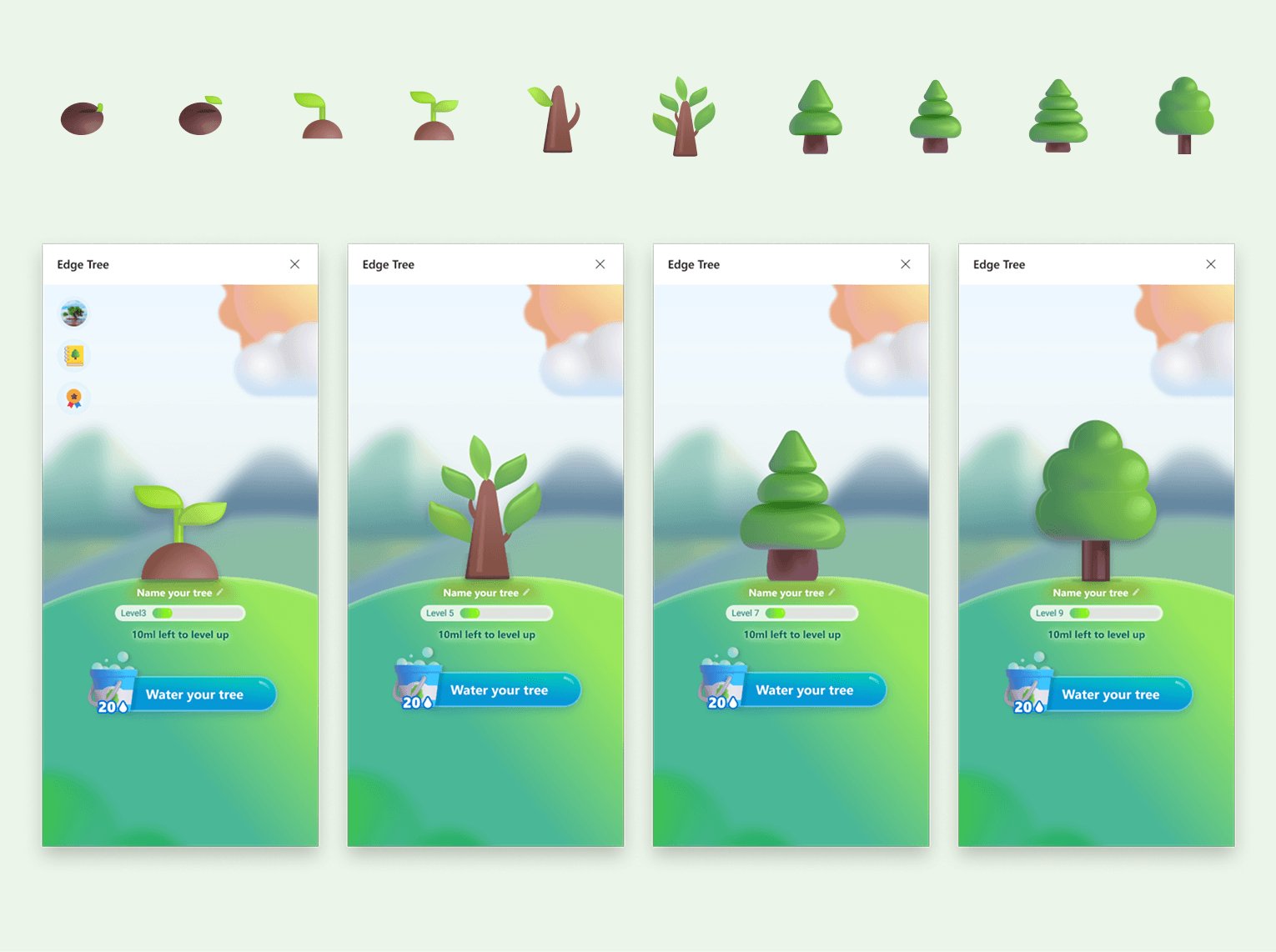
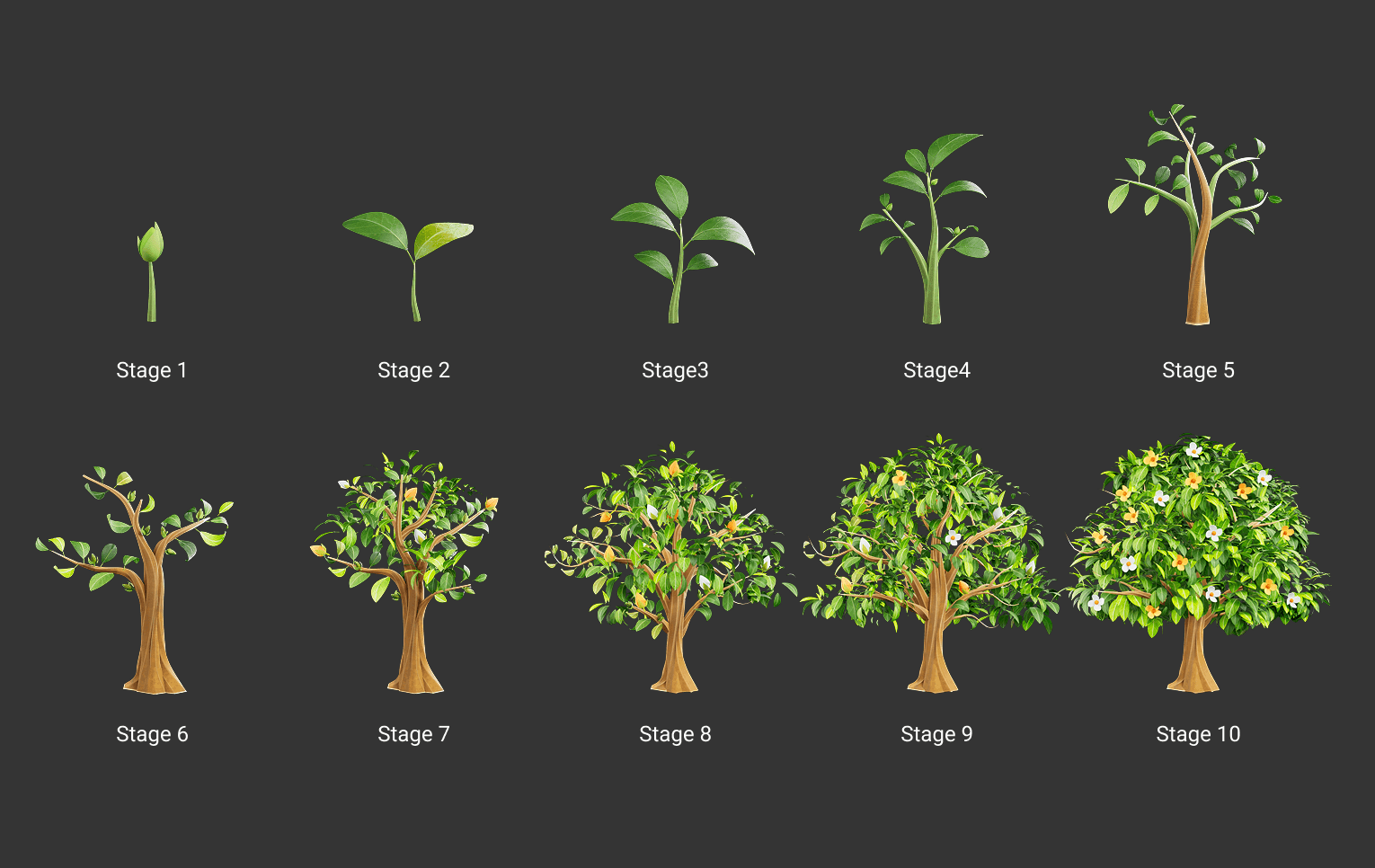
Based on the results from the user studies, we proceeded with the "Cinematic" concept by iterating on the design of the tree and how it would scale to all stages of the tree growing process.
We settled on a set that felt realistic with pops of detail and color that enhanced the visual of the tree.
Phase Two: Exploration
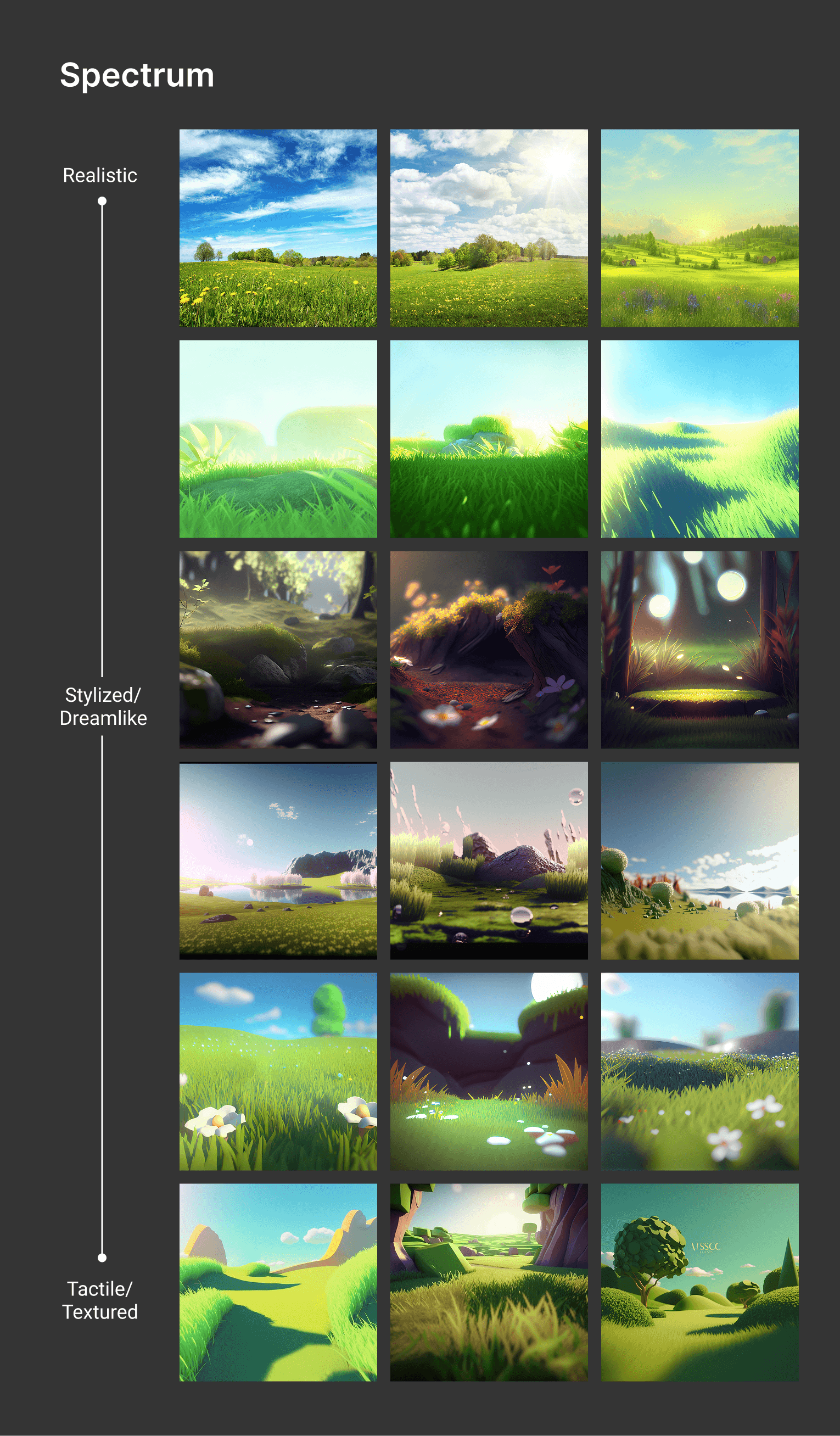
With the tree design finalized, we moved on to exploring the background visual for the feature in Midjourney, again iterating along the spectrum from realistic to more dream-like and tactile.
Phase Two: Refinement
When we felt we had some good options, we tinkered with the existing compositions and began applying them in context to see how they held up with the tree in the foreground.
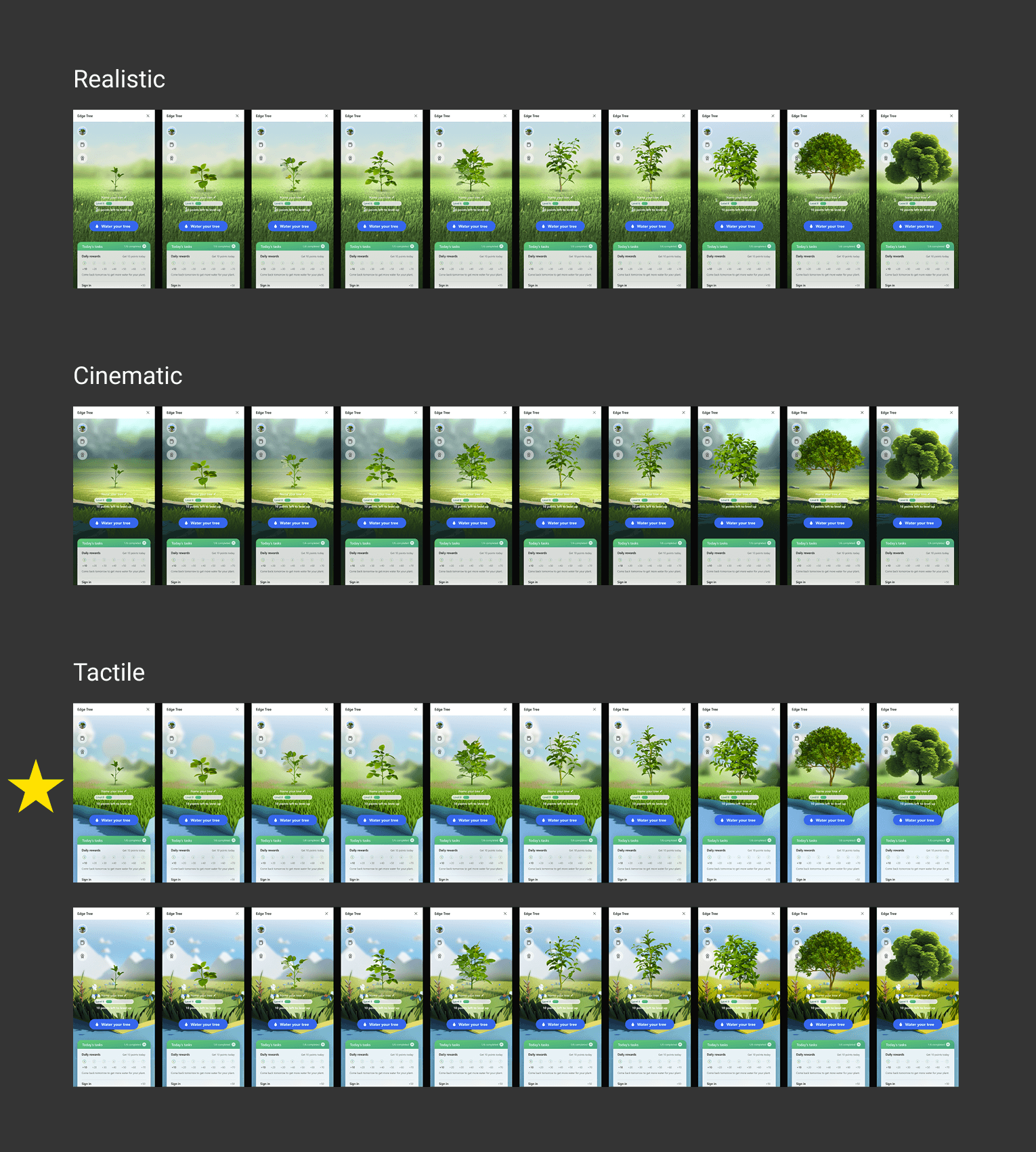
The internal team felt that the tactile treatment for the background added more visual interest by featuring the tree in more of stage-like setting. While the more realistic imagery may have matched more closely with the styling of the actual tree, it felt a bit too much like stock imagery and had a flatness that didn't lend itself well to the feature.
Final Design
The assets were finalized on a direction that allowed for the background to feel like a stage/platform that lived behind the UI of the feature, and that felt like a stage for the tree asset.
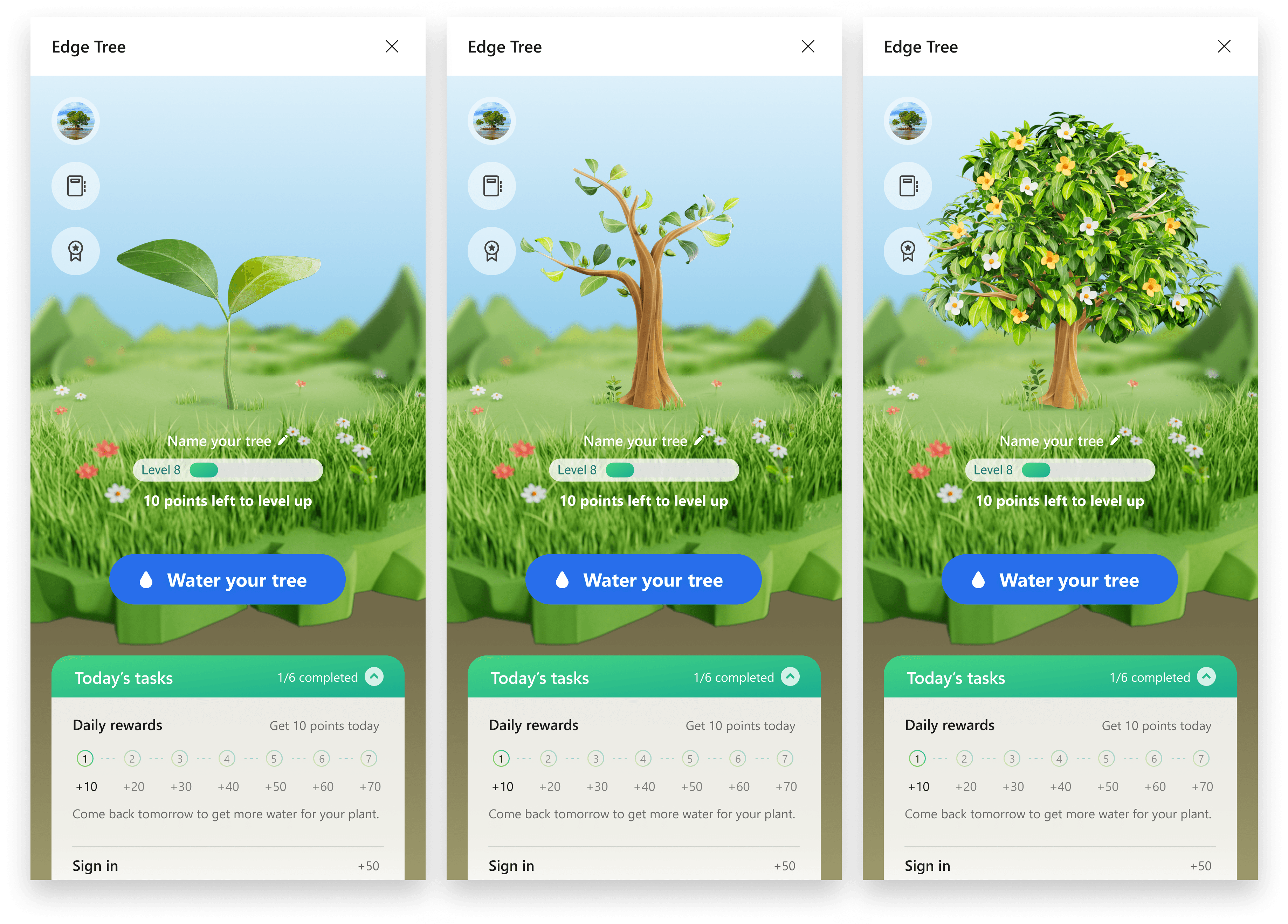
This updated design was shared, packaged, and handed off to the MSN team, and eventually implemented in updates to the E-Tree feature. While the deliverable was important, the most valuable takeaways from this project were learnings around incorporating generative AI imagery into our design process and how it could continue to be used by our broader studio.
This project and the following learnings were shared by our team with our studio's design leadership and the CVP of our org.
Learnings
Generative AI is an incredible multiplier for visual design exploration
With just a few designers we were able to create an incredible variety and breadth of visuals. This would've taken a significant investment in resources to generate with designers and 3D artists.
Tools like Midjourney are great at exploring broadly, inefficient at fine-tuning
The advantages with these tools, in their current form, is in the broad exploration phase of visual design. The amount of tinkering with text prompts and style references in order to fine-tune aspects like composition and visual detail is still tedious and time-consuming.
Visual quality and specs are still limited in Gen AI tools
The need for specific dimensions, background transparency, and PPI resolution was lacking at that time in Midjourney. This created challenges when it came to creating finalized and production-ready assets.
These tools are evolving very rapidly
From the 5-week time span we began this project to the time we delivered, Midjourney had already published an updated model for rendering imagery. These tools are evolving and improving literally day-to-day.
Ultimately, this is a technology that is worth investing in and following as it continues to change visual design processes.